From Dashboard Overview to Individual Bookings
These are the exact booking tools your team will use every day – dashboards, stats, schedules and a booking form that’s fast enough to use while standing courtside.
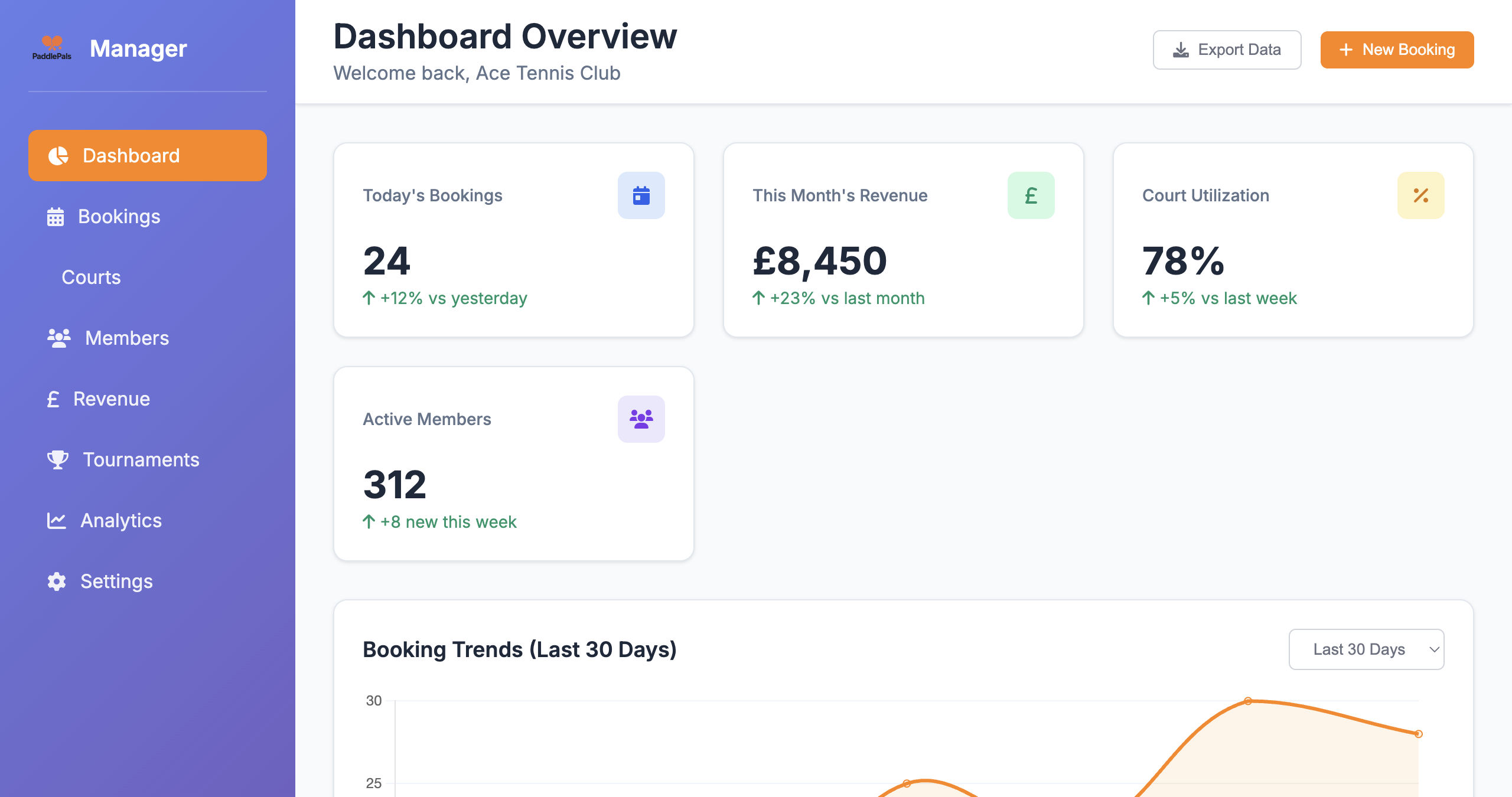
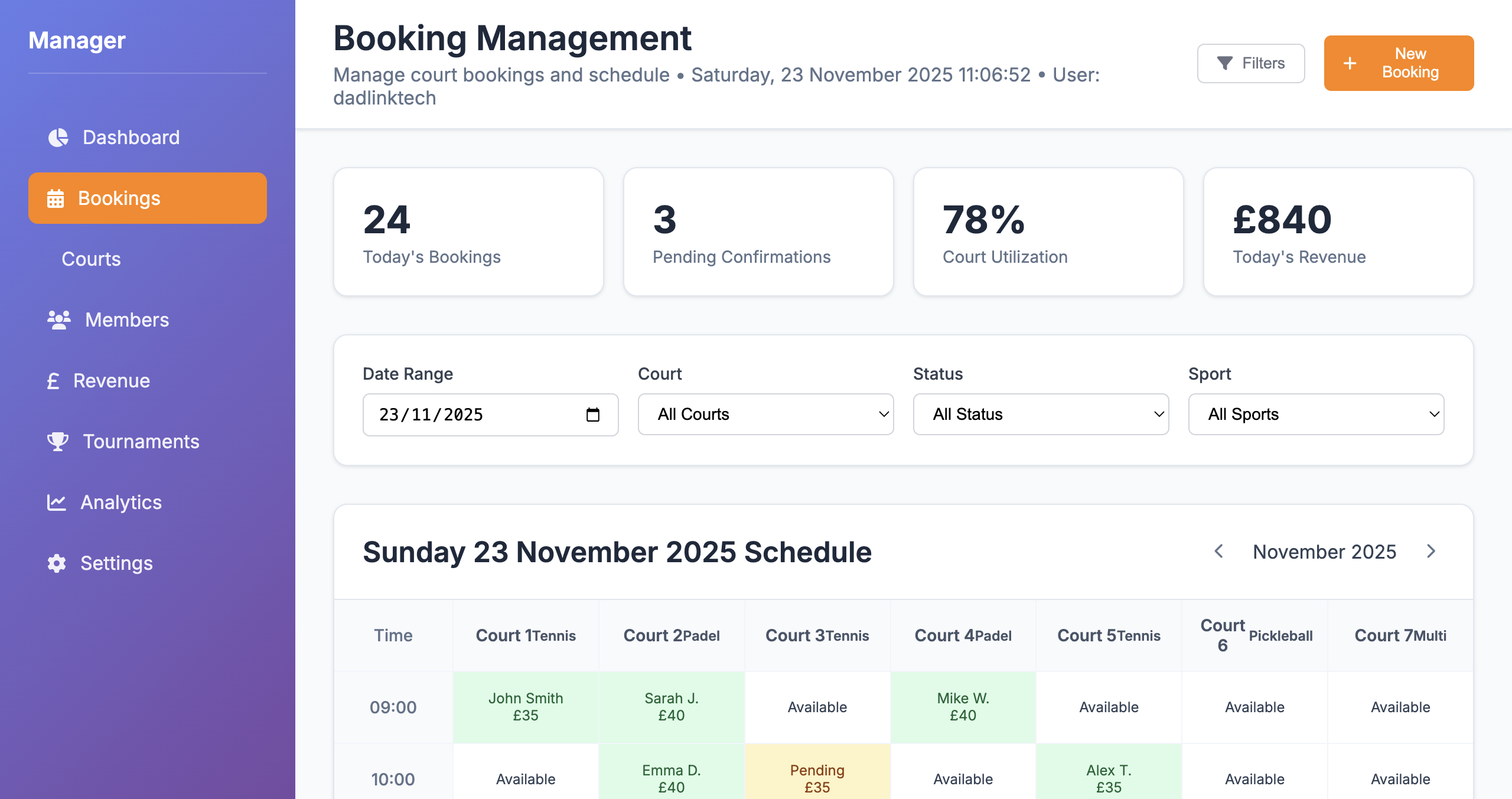
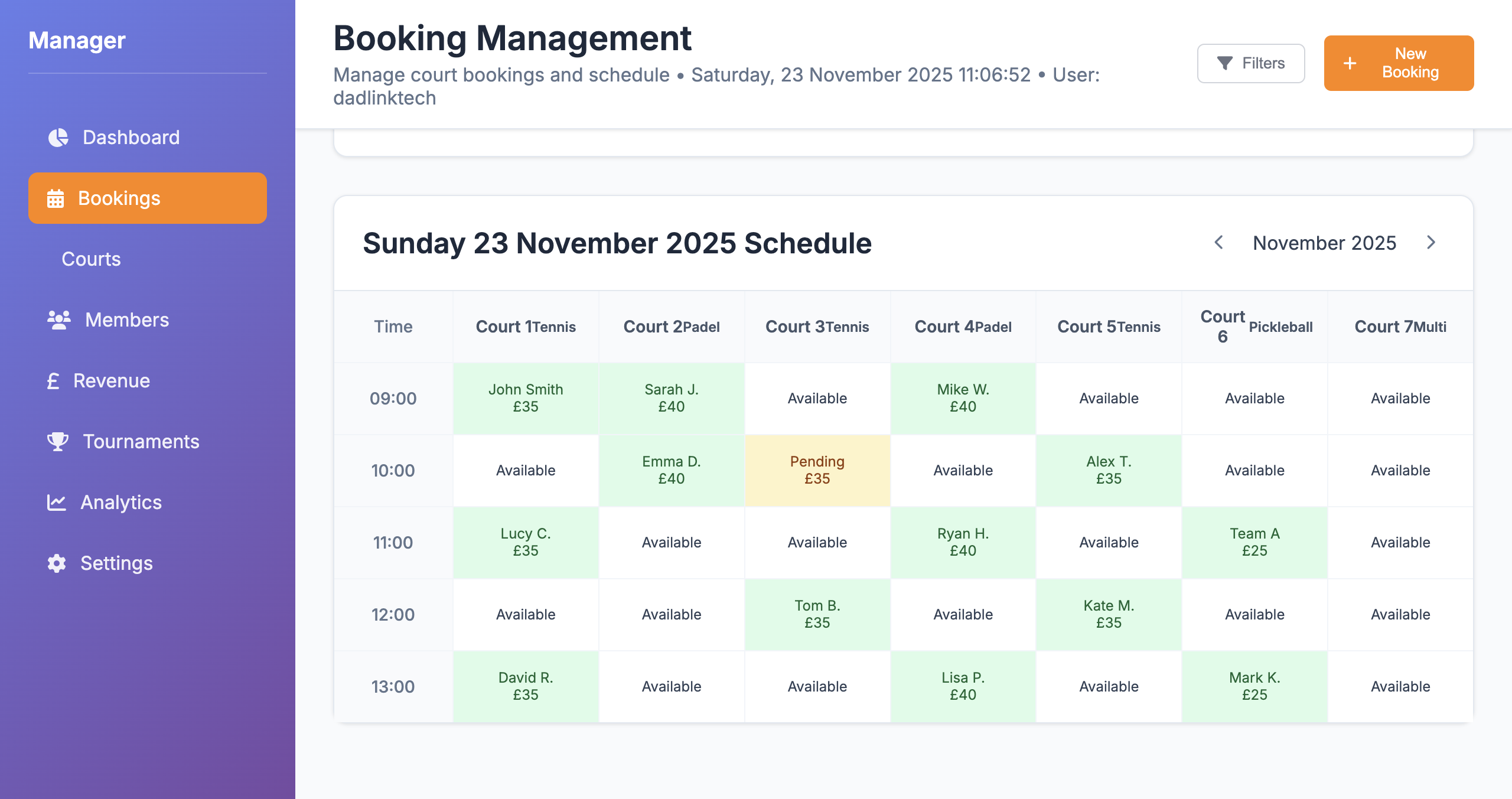
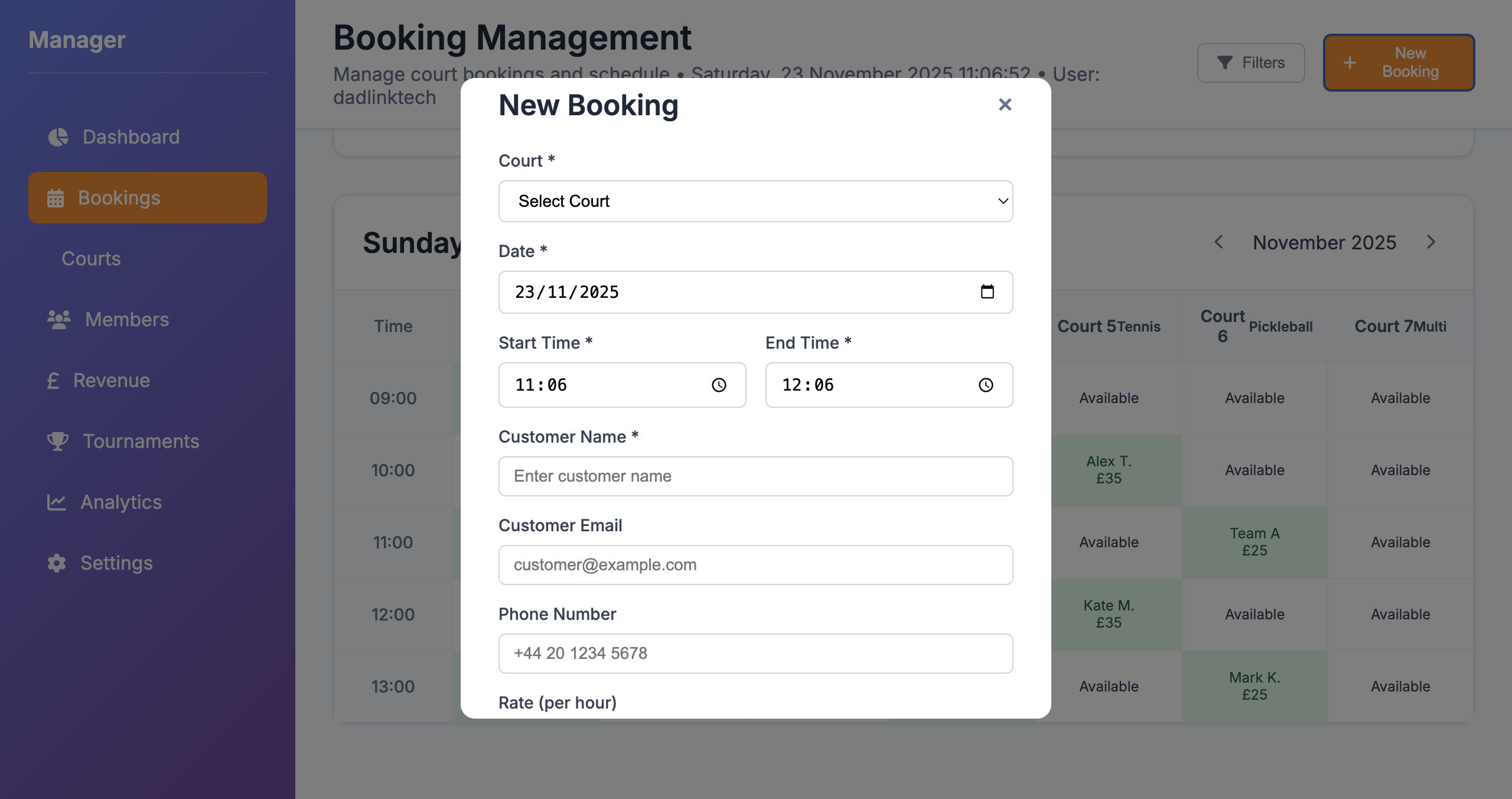
The PaddlePals Booking System gives you a live schedule across all your courts, with instant stats on bookings, utilisation and revenue. Create bookings in seconds and never lose track of your day again.
From first login to handling live bookings, PaddlePals is designed around how real racket clubs and sports facilities work every day.
Add each court (padel, tennis, pickleball, multi‑sport), define opening hours and price bands for peak / off‑peak slots. Your live court schedule is generated automatically.
Staff use the booking grid and fast New Booking form to capture phone and walk‑in reservations, while online bookings from your public pages drop into the same system.
Use the dashboard to see today’s bookings, court utilisation and revenue at a glance. Spot quiet patches, manage waiting lists and keep managers fully in control.
These are the exact booking tools your team will use every day – dashboards, stats, schedules and a booking form that’s fast enough to use while standing courtside.
Everything you’d expect from modern court booking software, plus the details that matter when you’re running a real club with members, teams and multiple sports.
Configure slot lengths, buffer times and booking windows for different courts and activities. Perfect for coaching blocks, social sessions and standard hourly bookings.
Allow members to log in and book directly, while still giving staff the tools to create bookings for guests, teams, events and block bookings from the same interface.
Update, move or cancel bookings with a couple of clicks. Keep a clear record of who changed what and when, so there’s no confusion at reception or on court.
Optional email or message reminders help reduce no‑shows and late cancellations. Combine with PaddlePals CRM tools to keep courts busy and players informed.
Know exactly what’s happening on every court, every hour of the day. No more guessing, double‑booking or scribbled notes on paper.
The booking grid and New Booking form are designed for speed, so your team can handle bookings while on the phone or courtside without slowing down.
Spot gaps in the day instantly and use PaddlePals offers, member CRM and court profiles to fill those slots and drive more revenue.
The booking system is part of the same platform as your court profiles, Stripe payments and member CRM – everything stays in sync automatically.
Cloud‑based, always‑on, with a clear audit trail for every booking. Perfect for clubs that want a professional system they can rely on every day.
Try the full booking system with your own courts and team. If it’s not faster and clearer than what you use today, you simply don’t continue.
The PaddlePals Booking System is part of the wider PaddlePals Manager platform, so your court schedules, payments and member data stay connected.
Link your PaddlePals account to Stripe so you can take secure online payments for court bookings, classes and events. Track paid vs. unpaid bookings directly from the dashboard.
Set different prices for members and non‑members, peak and off‑peak times, and special sessions. The booking system automatically applies the correct rate for each booking.
Every booking can be linked to a member profile, so you can see booking history, spend and attendance. Perfect for retention analysis and VIP treatment for your best players.
How the PaddlePals Booking System fits into your day‑to‑day operations.
Yes. The Booking System is part of PaddlePals Manager, so it works alongside your court profiles, Stripe payments and member CRM. Courts, bookings and members all stay connected in one platform.
Yes. Many clubs allow members to book certain courts and times online while keeping other slots reserved for staff‑managed bookings, teams or coaching programmes. You decide which courts and sessions are visible for self‑service booking.
PaddlePals works for padel, tennis, pickleball, badminton, squash and five‑a‑side courts. You can manage different sports, surfaces and court types from the same booking grid, with clear labels and filters.
Yes. Booking and revenue data from the PaddlePals Booking System can be exported for analysis, accounting and board reports. Use it alongside the Revenue Manager to see exactly how your court utilisation translates into income.
Absolutely. Staff can add bookings manually using the New Booking form – perfect for walk‑ins and phone bookings – while online bookings from your court profiles are also added automatically.
Yes. Pending bookings are clearly highlighted in the stats and the schedule grid with their own colour, so you can chase confirmations or free up space when needed.
Most staff are comfortable within a single shift. The layout is simple: overview, stats, filters, schedule and a clear New Booking button – exactly what people expect from a modern booking system.